
Your own booking page. Ready in minutes.
The Operator Page is a standalone, fully SEO-optimized booking page created from your Zuru Operator app. Showcase your experiences, accept bookings online 24/7, and grow your business — no developer needed.

Free forever on Basic · 0% commission · No credit card required
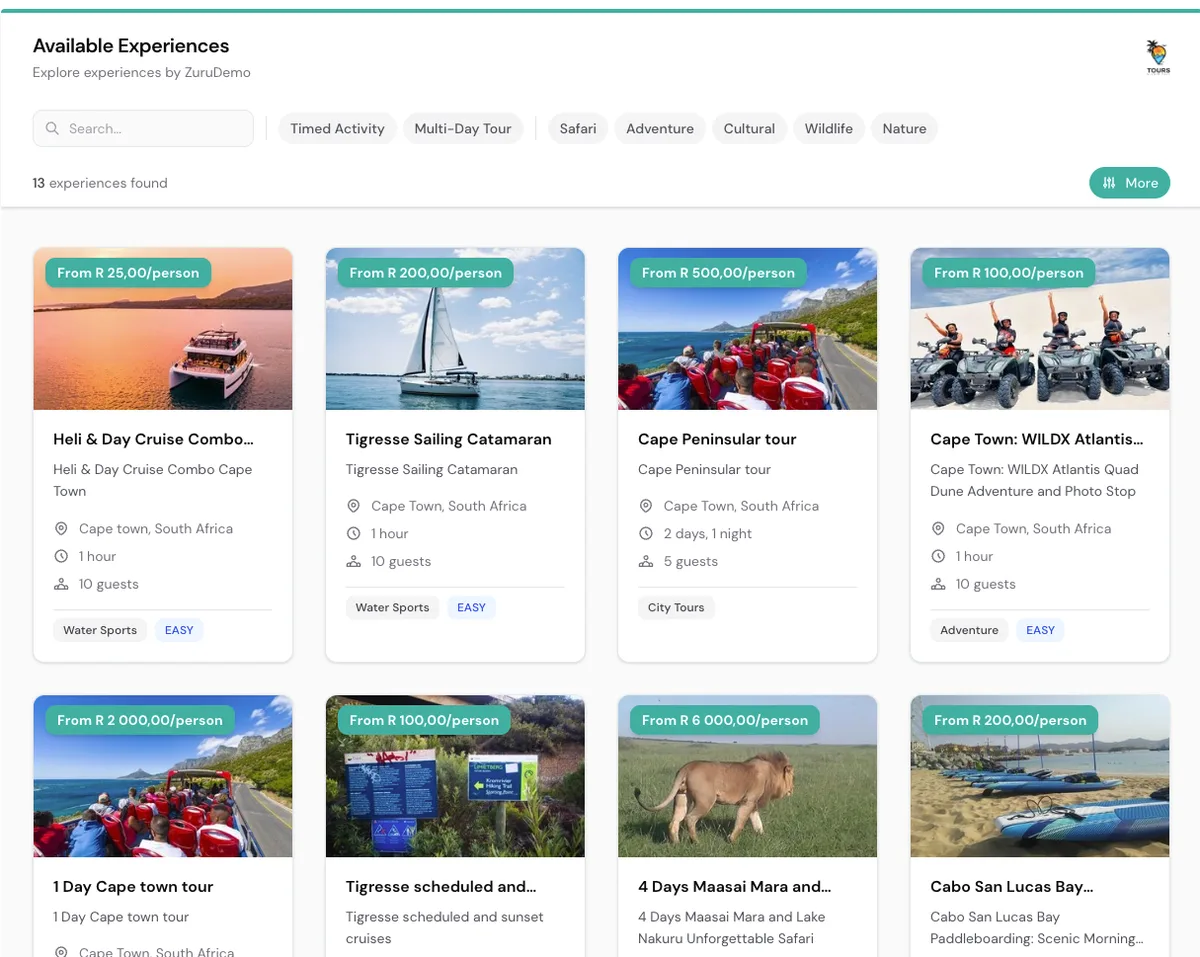
A booking website that works for you.
Every experience you add to your Zuru Operator app automatically appears on your Operator Page — a beautiful, standalone website that your customers can browse and book from, anytime. Think of it as your dedicated online storefront, powered by Zuru and ready to capture bookings around the clock.
Everything you need to sell online.
The Operator Page comes packed with features designed to help tour operators convert visitors into paying customers.
Showcase all your experiences.
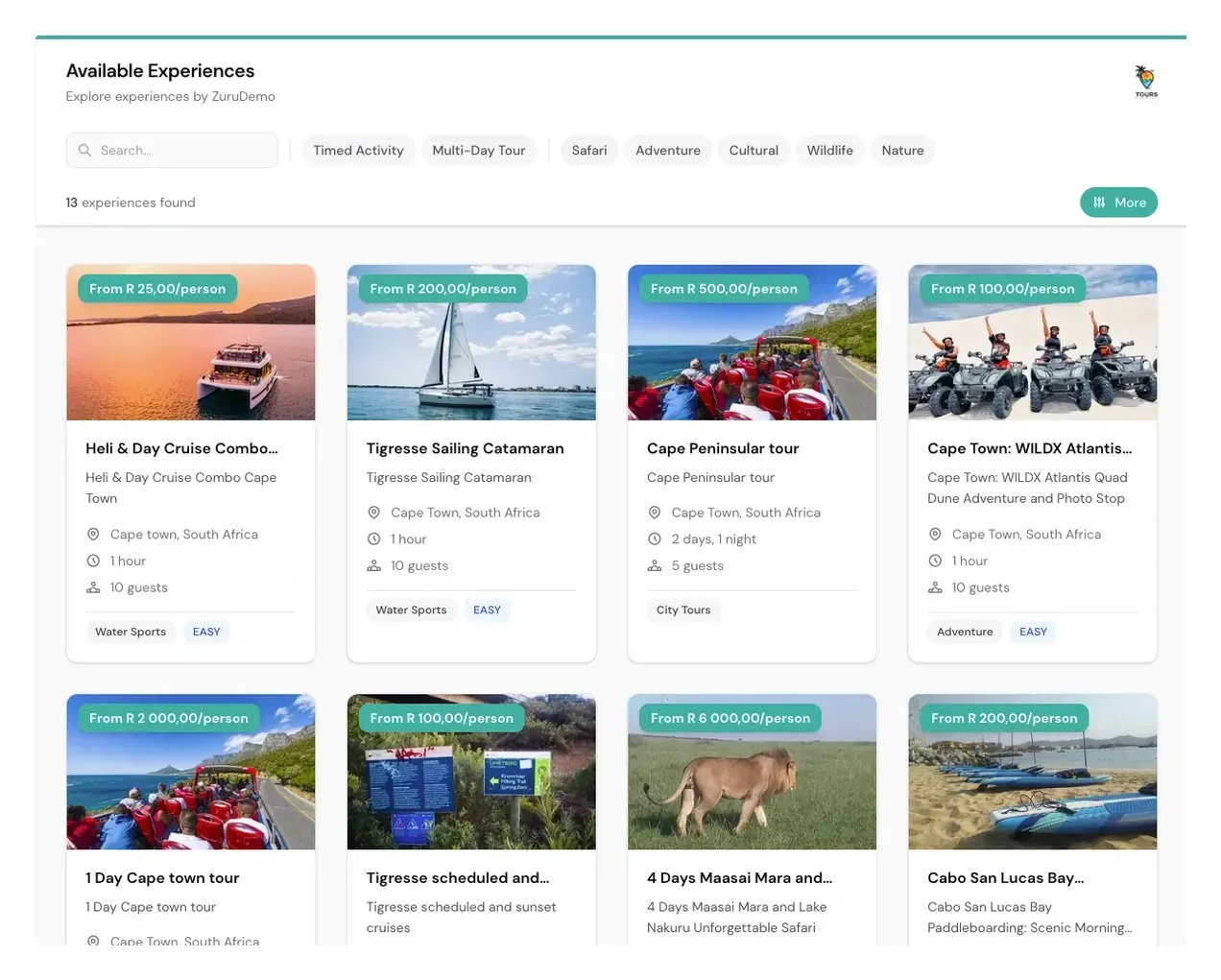
Your Operator Page automatically displays all the experiences you've added to your Zuru Operator app. Customers can search, filter by category, and browse your full catalogue with clear pricing, locations, and duration details.
- Search and category filters for easy discovery
- Clear per-person pricing on every card
- Location, duration, and guest capacity at a glance
- Activity tags for quick categorization
Frictionless booking experience.
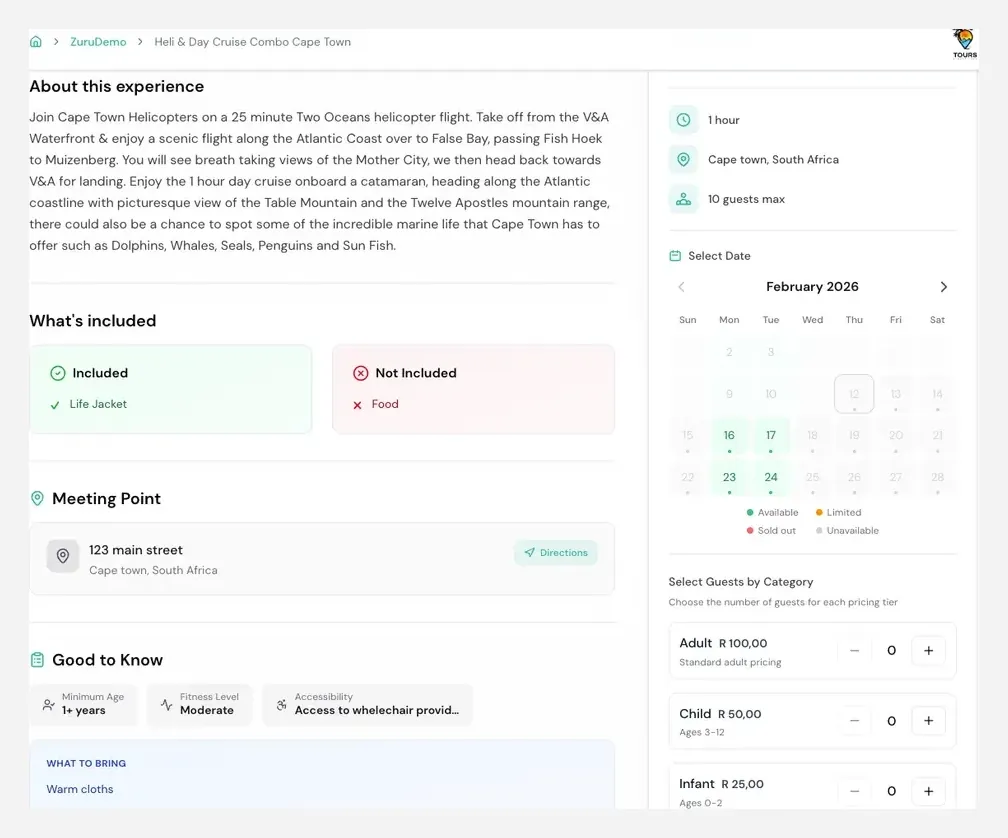
When customers click on an experience, they see everything they need — full descriptions, what's included, meeting point with directions, and a live calendar showing availability. They pick a date, select guests by category, and book instantly.
- Live availability calendar with status indicators
- Guest categories with per-tier pricing
- Inclusions, meeting point & directions
- Good-to-know details like fitness level & accessibility
Get started in 3 simple steps.
From sign-up to accepting your first booking — it takes minutes, not days.
- 01
Sign Up & Add Experiences
Create your free Zuru Operator account and add your tour experiences — photos, descriptions, pricing, availability, and more.
Minutes, not days - 02
Customize Your Page
Add your logo, choose your brand colors, and personalize your Operator Page to match your business identity.
No code required - 03
Share & Start Selling
Share your unique Operator Page link anywhere — social media, Google, email campaigns — and start accepting bookings instantly.
Bookings 24/7
Packed with powerful features.
Every feature is designed to help you sell more experiences and deliver a world-class booking experience.
Built-in Analytics
Track page views, booking conversions, and revenue directly from your Zuru dashboard.
Secure & Reliable
SSL encrypted, GDPR compliant, and hosted on enterprise-grade infrastructure with 99.9% uptime.
Multiple Payment Methods
Accept credit cards, bank transfers, and mobile payments in multiple currencies.
SEO Best Practices
Meta tags, structured data, fast load times, and mobile-first design for top search rankings.
Brand Customization
Logo, colors, fonts, and layout options to make your Operator Page uniquely yours.
Automatic Updates
Changes in your Operator app are instantly reflected on your page. No manual syncing needed.
Operator Page questions.
How your standalone booking page is set up, branded, and kept up to date.
Still have questions? Talk to sales.
Do I need my own domain or hosting?
How is the Operator Page different from the Zuru Marketplace?
Do I need a developer to set it up?
How do I update my page when something changes?
Will my experiences show up on Google?
How do customers pay?
Can I still use the Operator Page if I already have a website?
Ready to Launch Your Booking Page?
Join hundreds of tour operators who are already using the Operator Page to accept bookings online. Get started for free — no credit card required.
Free forever on Basic · 0% commission · No credit card required